Experiment - Raspberry Pi Network Monitoring Node
Scenario
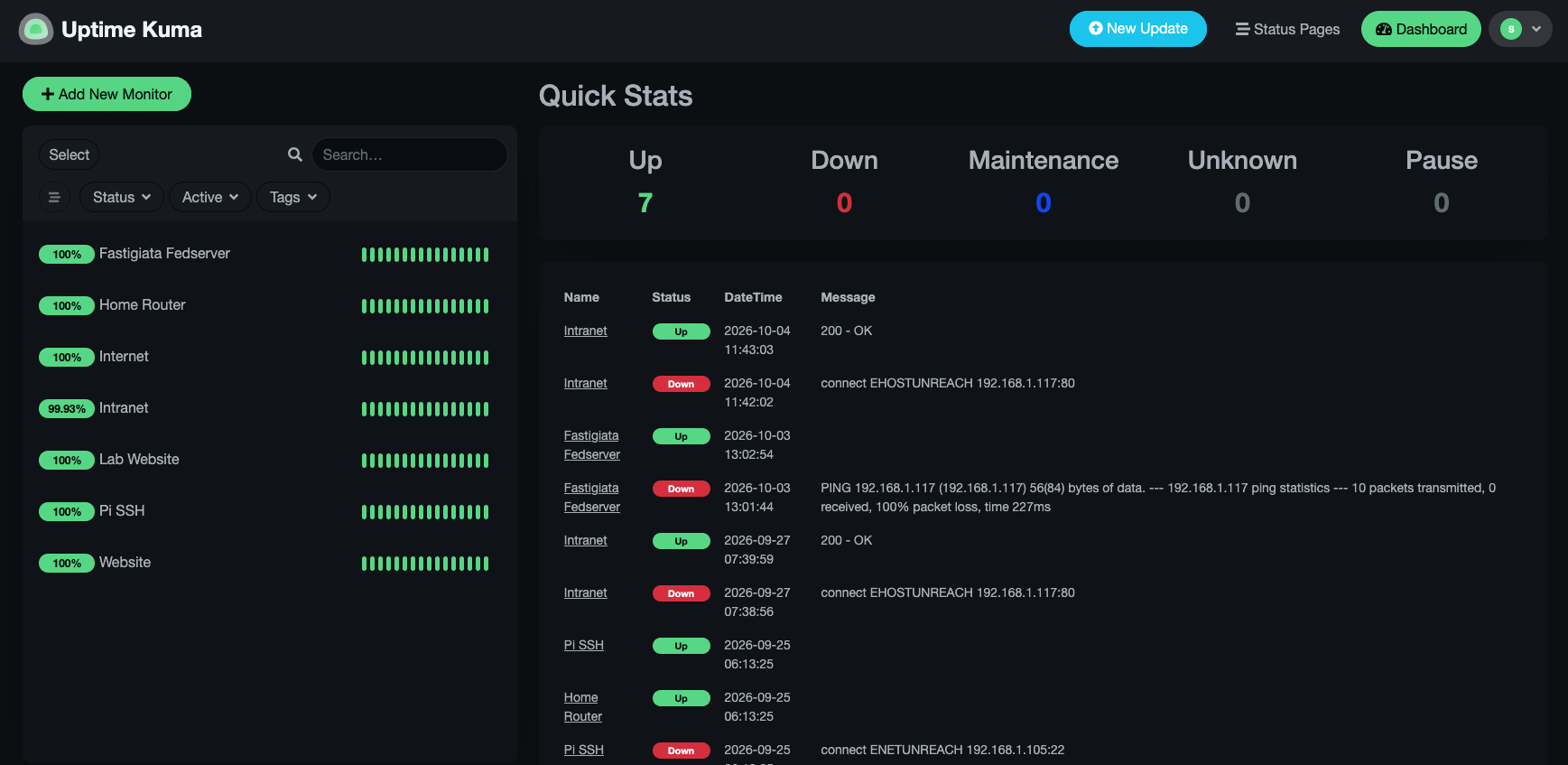
This experiment aims to configure a Raspberry Pi 4 as a basic network-monitoring node. The node will monitor the availability and response times of the home router, internet connection, DNS service, Raspberry Pi SSH service, and selected devices on the local network using Uptime Kuma.
Learning goals
- Practise Linux system and network administration.
- Identify interfaces, addresses, routes, gateways, and DNS services.
- Deploy a containerised monitoring application.
- Establish baseline latency and availability measurements over Wi-Fi.
- Recognise the limitations of monitoring from a normal wireless client.
Lab environment
| Item | Details |
|---|---|
| Device | Raspberry Pi 4 |
| Operating system | Ubuntu LTS - exact version to be confirmed |
| Architecture | Expected aarch64 / Arm64 |
| Connection | Wi-Fi |
| Monitoring application | Uptime Kuma 2 |
| Container platform | Docker |
| Future change | Move the node to Ethernet |
Network details
Complete these fields during the lab:
| Setting | Recorded value |
|---|---|
| Hostname | |
| Wi-Fi interface | |
| Raspberry Pi IPv4 address | |
| Subnet | |
| Default gateway | |
| DNS server | |
| Uptime Kuma address | http://PI_ADDRESS:3001 |
Process
1. Confirm the system
cat /etc/os-release
uname -m
hostnamectl
2. Record the network configuration
ip address
ip route
resolvectl status
3. Test connectivity
Replace ROUTER_IP with the default gateway recorded above.
ping -c 4 ROUTER_IP
ping -c 4 1.1.1.1
getent hosts cloudflare.com
4. Install diagnostic tools
sudo apt update
sudo apt install -y nmap traceroute mtr-tiny iperf3 vnstat tcpdump
Confirm the tools:
nmap --version
mtr --version
iperf3 --version
vnstat --version
tcpdump --version
5. Install and test Docker
sudo apt install -y docker.io docker-compose-v2
sudo systemctl enable --now docker
sudo systemctl status docker --no-pager
sudo docker run --rm hello-world
Note
The commands use Ubuntu’s packaged Docker release to keep this first experiment straightforward. A later lab can compare it with Docker’s upstream repository installation.
6. Deploy Uptime Kuma
sudo docker volume create uptime-kuma
sudo docker run -d \
  --restart unless-stopped \
  -p 3001:3001 \
  -v uptime-kuma:/app/data \
  --name uptime-kuma \
  louislam/uptime-kuma:2
Verify the deployment:
sudo docker ps
sudo docker logs --tail 30 uptime-kuma
Open the dashboard from another device:
http://RASPBERRY_PI_IP:30017. Configure the monitors
Use a 60-second interval for the initial experiment.
| Monitor | Type | Example target | Purpose |
|---|---|---|---|
| Home Router | Ping | Default gateway | Local network availability |
| Internet Connection | Ping | 1.1.1.1 | Internet access independent of DNS |
| DNS Resolution | DNS | cloudflare.com | Name-resolution availability |
| External Website | HTTPS | Selected website | End-to-end web connectivity |
| Raspberry Pi SSH | TCP | Pi address, port 22 | Remote administration availability |
| Local Server | Ping | Server address | Local device availability |
Uptime Kuma Output